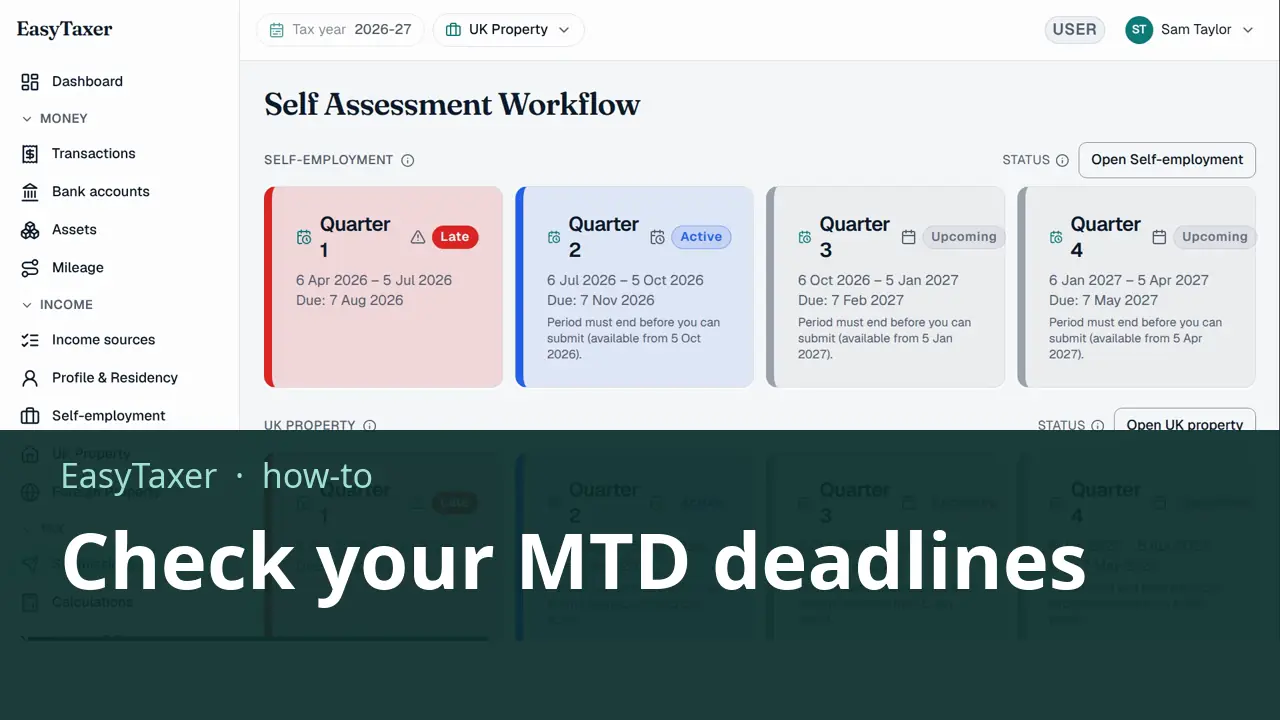
Video coming soon
Before you start
- EasyTaxer is connected to HMRC. Your deadlines come from HMRC, so they appear once you are connected.
- The tax year you want is selected in the Tax year switcher at the top of the page.
Steps: the text version of this video
-
Your next deadline
When you sign in, your dashboard shows your next deadline, and the next deadline for each of your businesses, fetched from HMRC.
-
Every quarter, per business
For the full picture, select See all deadlines. Each business has its own row of four quarters, showing the period each one covers and its deadline. For 2026-27 the quarterly deadlines are the seventh of August, November, February and May.
-
What each status means
A quarter whose deadline has passed is marked late, the current quarter is active, and a quarter can only be submitted once its period has ended.
-
The end of the year
At the bottom, you can run an in-year tax calculation at any time. The final declaration unlocks once all four quarterly updates are in.
What happens next
- Once a quarter's period has ended, you send its update from the same Submissions page.
- The final declaration unlocks once all four quarterly updates are in.
Related
- MTD for Income Tax quarterly deadlines 2026/27 - the full calendar (guide)
- How to submit a quarterly update (guide)
- Previous in this playlist: How do I submit a quarterly update for UK property?
- Next in this playlist: How do I submit a quarterly update for foreign property?
- All help articles
- Still stuck? Use Contact support in the menu under your name inside EasyTaxer, or email info@easytaxer.com.
Checked against EasyTaxer on 25 September 2026. Screens can change between releases; if something here does not match what you see, please tell us.